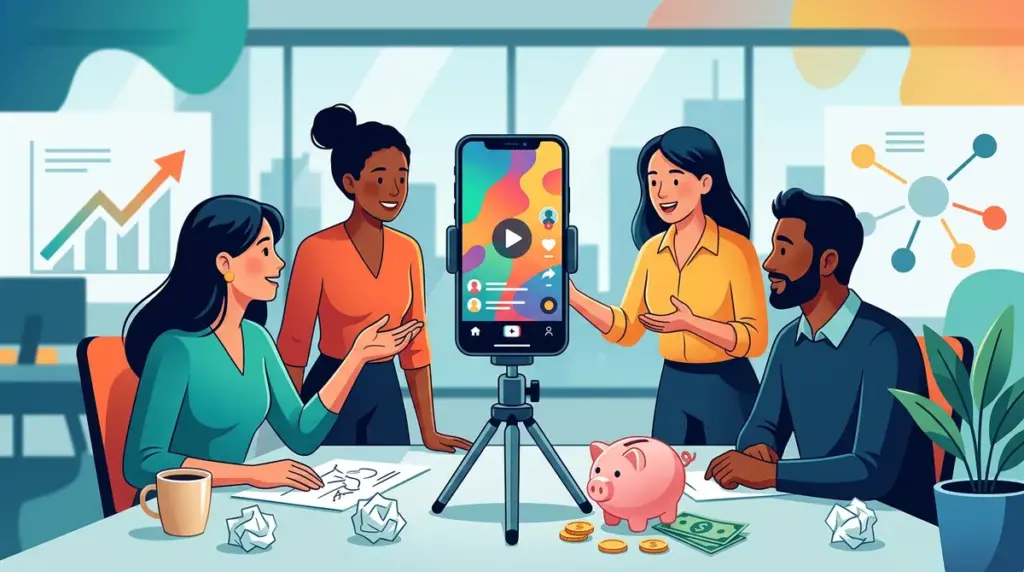
Budget constraints often force a choice between high-gloss production and consistent output. For marketing teams at smaller agencies or niche publishers, the latter almost always wins. High-end equipment and professional editing suites are no longer the barrier to entry for TikTok, Instagram Reels, or YouTube Shorts. Instead, the bottleneck is usually a lack of repeatable frameworks that convert existing knowledge into vertical video formats without requiring a full production day.
Short-form video success currently hinges on "lo-fi" authenticity. Audiences on mobile platforms have developed a subconscious filter that skips over content looking too much like a traditional television commercial. To move the needle on SEO and brand awareness, your video strategy should focus on information density and immediate utility rather than cinematic transitions.
Converting High-Performing Blog Posts into Vertical Scripts
Your most successful written content is already a validated script. If a blog post is ranking well or driving significant organic traffic, the topic is already proven. The goal is not to read the post aloud, but to extract the "atomic units" of value.
Best for: Agencies with a deep archive of long-form guides or case studies.
To execute this, identify a specific listicle or a "how-to" section within a pillar page. Take one single point and turn it into a 45-second clip. For example, if you have a guide on "Outreach Strategies for SaaS," create a video specifically titled "The Subject Line That Doubled Our Response Rate." Use a green-screen filter to show the actual email or the data dashboard behind you. This provides immediate visual proof and establishes authority without needing a studio set.
The "Hook-Value-CTA" Framework
Every low-budget video must follow a rigid structure to prevent viewers from scrolling past. The first three seconds must address a specific pain point. Instead of saying "Hi, I'm John from the marketing team," start with "Most outreach emails fail because of this one word in the subject line." The middle section provides the solution, and the final five seconds should direct the user to a specific action, such as clicking the link in the bio for the full template.
Low-Friction Product Demonstrations via Screen Recording
Marketing teams often overlook the power of a simple screen recording. If you are selling a service, a platform, or a specific methodology, showing the "work" is more convincing than talking about the "result."
Best for: Software companies, SEO consultants, and technical service providers.
Use tools like Loom or the native screen recorder on your smartphone to walk through a specific workflow. If you’ve discovered a shortcut in a popular SEO tool or a way to automate a tedious reporting task, record yourself doing it in real-time. Do not worry about professional lighting; the value lies in the cursor movements and the logic you are explaining. These videos work exceptionally well as "teasers" on LinkedIn or Twitter to drive traffic back to a more detailed landing page.
- The "Bug to Feature" Video: Show a common industry problem and how your specific workflow solves it.
- The Dashboard Walkthrough: Highlight one specific metric that most people ignore but shouldn't.
- The Comparison: Record two side-by-side workflows to show how much time your method saves.
Warning: Avoid over-editing your screen recordings. Adding too many flashy transitions or heavy background music can distract from the technical value. If the viewer cannot see the settings or the text you are clicking on because of a filter, the video has failed its primary purpose.
Leveraging Social Proof and Community Interaction
User-generated content (UGC) is the gold standard for low-budget marketing, but you don't always need customers to film themselves. You can create "Reaction" or "Response" videos using existing text-based reviews, comments, or industry news.
Take a screenshot of a positive review or a challenging question from a community forum like Reddit or a niche Slack group. Use the "Stitch" or "Remix" feature on social platforms to place that screenshot in the corner of the frame while you provide a 60-second expert response. This positions your team as active participants in the industry conversation rather than just a brand pushing a product. It also requires zero budget—just a smartphone and a quiet room.
The "Day in the Life" of a Workflow
Transparency builds trust, especially in the B2B space where clients are often wary of "black box" agencies. Showing the reality of your office or remote setup helps humanize the brand. However, avoid the generic "office tour." Instead, focus on a "Day in the Life of a [Specific Task]."
For example, "A Day in the Life of a Content Audit" could show a 15-second montage of coffee, a messy spreadsheet, a whiteboard session, and finally, a shot of the finished report. This tells a story of effort and expertise. It shows the "boring" parts of the job that actually deliver the results clients pay for. Using trending audio (at a low volume) behind these montages can help with the platform's algorithm without compromising the professional tone.
Essential Equipment for Under $100
If you have a modern smartphone, you already own the most expensive part of the kit. To move from "amateur" to "professional lo-fi," you only need to address two factors: audio and stability.
Audio: Viewers will tolerate poor video quality, but they will immediately swipe away from poor audio. A basic wired lavalier microphone that plugs directly into your phone’s charging port costs less than $30 and significantly reduces background noise and echo.
Lighting: You do not need a ring light. Position yourself facing a large window during daylight hours. This provides a soft, even light that is more flattering than most cheap LED panels. If you must film at night, use two desk lamps with "daylight" balanced bulbs positioned at 45-degree angles to your face to eliminate harsh shadows.
Maximizing Distribution and SEO Impact
Short-form video should not live in isolation. To get the best ROI on your time, every video should be part of a larger distribution loop. When you post a video to YouTube Shorts, embed that same video into the relevant blog post on your site. This increases "dwell time," a signal to search engines that your page provides high value, which can indirectly improve your organic rankings. This strategy works across platforms, so consider which platform fits your content strategy best for maximum impact.
Additionally, use the description field and the first comment to link to your lead magnets or outreach forms. Ensure your captions include industry-specific keywords. Platforms like TikTok and Instagram are increasingly functioning like search engines; users search for "SEO tips" or "email marketing hacks" directly within the app. Proper keyword usage in your on-screen text and captions is essential for being discovered by these intent-driven users.
Immediate Steps to Start Production
Stop planning for a "video launch" and start a "video habit." The most successful small-budget teams commit to a specific cadence—such as two videos per week—rather than one high-stakes production per month. Start by identifying three blog posts that already get traffic. Script three "hooks" for those posts today. Record them using natural window light and a simple $20 microphone. Post them as they are, without over-analyzing the edit. The data you gather from these initial "raw" posts will tell you more about what your audience wants than any marketing meeting ever could.
Frequently Asked Questions
How long should my marketing videos be?
For most B2B and educational content, the sweet spot is between 30 and 60 seconds. This is long enough to deliver one clear tip but short enough to maintain high retention rates, which tells the algorithm to show your video to more people.
Do I need a professional editor?
No. Mobile apps like CapCut or the native editors within TikTok and Instagram are more than sufficient for the "lo-fi" aesthetic that is currently performing well. Focus on clear captions and simple cuts rather than complex visual effects.
What if I don't want to show my face?
"Faceless" accounts are highly successful in the marketing niche. Use screen recordings, stock footage with text overlays, or "POV" shots of your hands working on a keyboard or notebook while you provide a voiceover. The value is in the information, not the presenter.
How do I measure the success of these videos?
Look beyond "views." Track "Save" counts and "Shares," as these indicate the content was genuinely useful. Most importantly, use UTM parameters in your bio links to track how many users are actually clicking through to your website from your video profiles.