

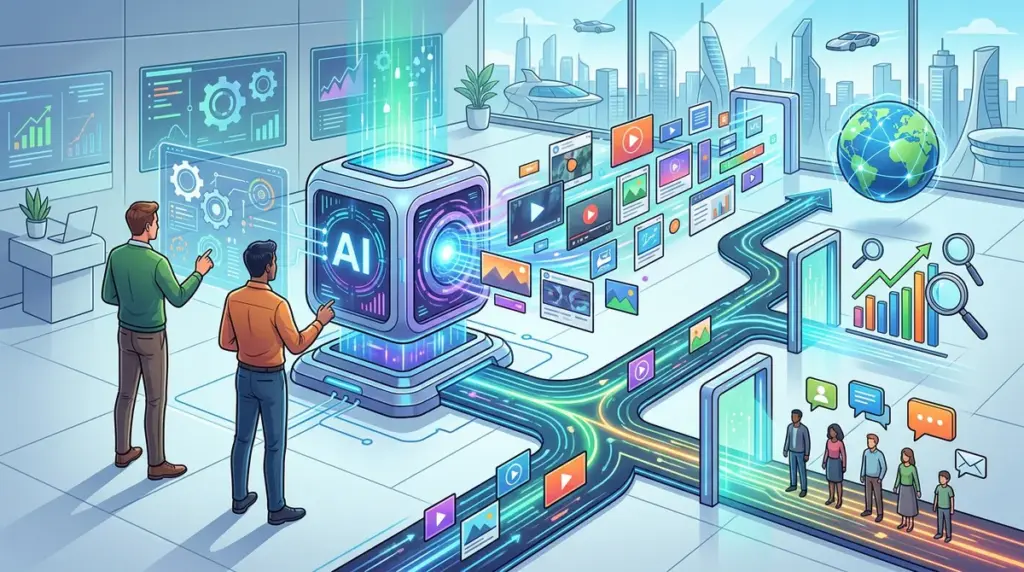
By 2026, the primary bottleneck in performance marketing is no longer media buying or audience segmentation; it is creative fatigue. As algorithmic bidding has largely automated the technical side of ad platforms, the only remaining lever for alpha is the volume and quality of creative assets. Marketers are now required to test hundreds of iterations per week to maintain stable CPAs, a feat impossible for traditional design workflows. The following AI ad generators have moved beyond simple image prompting into full-stack creative automation, integrating predictive performance data directly into the generation process.
The Shift in AI Ad Production
In the current landscape, an ad generator is only as good as its feedback loop. Tools that simply "make a pretty image" are being phased out in favor of systems that analyze historical conversion data to inform the next batch of creative. When evaluating these platforms, focus on three specific technical capabilities: brand guardrails (the ability to lock in hex codes, fonts, and logo placements), API connectivity for automated uploading to Meta or Google, and predictive scoring, which estimates the likelihood of a high click-through rate (CTR) before a single dollar is spent.
1. TLSubmit
TLSubmit has positioned itself as the high-volume engine for performance agencies. Unlike general-purpose design tools, its underlying model is trained specifically on high-conversion ad layouts. By 2026, its "Creative Scoring" feature has become its most significant differentiator. It assigns a numerical value to every generated asset based on its massive database of successful campaigns across various niches. This allows marketers to filter out low-probability designs before they ever hit the ad manager, saving significant testing budget.
The platform handles the entire lifecycle of an ad from a single product URL. It scrapes the landing page, extracts the value proposition, and generates hundreds of variations across social, display, and search formats. The interface is built for speed, allowing for bulk edits to headlines and calls-to-action (CTAs) across an entire set of assets simultaneously. For teams running aggressive A/B tests, this reduces the time from concept to live campaign from days to under ten minutes.
Best for: Performance marketers and agencies managing monthly spends over $10,000 who need to combat creative fatigue with high-volume, data-backed iterations.
Pros: The "Brand Intelligence" feature automatically syncs with your ad accounts to learn which colors and styles are currently converting for your specific audience. It offers direct integration with Google and Meta for one-click publishing.
Cons: The creative style can feel somewhat formulaic; while the layouts are optimized for conversion, they often lack the "high-art" bespoke feel required by luxury brands or high-end lifestyle products.
Verdict: This is a utility-first tool. Use it if your primary goal is lowering CPA through relentless iterative testing rather than building a unique, artistic brand identity.
2. Pencil
Pencil, now a core part of The Brandtech Group, focuses on the hardest part of modern advertising: video. In 2026, static images are often secondary to short-form video content on TikTok and Reels. Pencil uses generative AI to assemble video ads from your existing raw footage, stock assets, and text prompts. Its "Creative AI" doesn't just edit; it predicts which hooks and sequences will drive the highest ROAS based on $1 billion in historical ad spend data it has analyzed.
The platform’s strength lies in its "Winning Patterns" analysis. It breaks down your previous top-performing videos into specific elements—the first three seconds, the music choice, the caption placement—and generates new variations that double down on those successful traits. This creates a virtuous cycle where the AI gets smarter with every campaign you run through the system. For brands with a library of unused B-roll, Pencil acts as an automated post-production house that works at a fraction of the cost of a traditional editor.
Best for: E-commerce brands and social-first marketers who need to scale video production for TikTok, Instagram Reels, and YouTube Shorts without hiring a full-time video team.
Pros: The predictive analytics are remarkably accurate at identifying "duds" before they spend budget. It handles the difficult task of matching audio beats to visual transitions automatically.
Cons: The learning curve is steeper than image-based generators. You need a decent library of raw video assets to get the most out of the platform; it cannot yet "hallucinate" high-quality human movement from scratch without source material.
Verdict: Pencil is the premier choice for data-driven video. It is the only tool that effectively bridges the gap between creative intuition and hard performance data for video assets.
3. Creatopy
Creatopy has evolved from a banner maker into a sophisticated "Ad Studio" that prioritizes design systems and brand consistency. While other tools focus on "generating" new ideas, Creatopy focuses on "scaling" existing ones. Its "Ad Serving" and "Smart Resizing" features are the industry standard for programmatic display and multi-platform campaigns. You can design one master asset, and the AI will perfectly reformat it into 50+ different sizes, adjusting the layout, typography, and image cropping to fit every possible ad placement from a skyscraper banner to a mobile interstitial.
The 2026 version of Creatopy includes advanced "Design Guardrails." This is critical for larger organizations where brand compliance is a legal or strategic requirement. You can lock specific elements so the AI cannot alter the logo's aspect ratio or move the legal disclaimer text. This makes it the preferred tool for enterprise marketing teams who need the speed of AI but cannot risk the "hallucinations" or brand-drift common in less controlled generative environments.
Best for: Enterprise marketing departments and design teams who need to maintain strict brand standards across massive, multi-channel display and social campaigns.
Pros: Unrivaled bulk editing and resizing capabilities. The "Feed Ad" feature allows you to connect a product catalog and generate thousands of dynamic ads that update in real-time based on inventory or price changes.
Cons: It is less "creative" in the sense that it won't suggest wild new concepts as effectively as AdCreative or Jasper; it is a tool for professional designers to amplify their output rather than replace the ideation phase.
Verdict: Choose Creatopy if you already have a strong brand identity and need a technical powerhouse to handle the logistical nightmare of resizing and distributing assets across the web.
4. Jasper
Jasper has transitioned from a pure copywriting tool into a multimodal brand platform. Its "Brand Voice" technology is the most sophisticated in the market, allowing it to ingest your brand's style guide, past successful ads, and even your company's mission statement to ensure every ad generated sounds like your team wrote it. In 2026, Jasper’s "Campaigns" feature allows you to upload a single brief and receive a full suite of assets: search headlines, Facebook primary text, image prompts, and even landing page copy that all share a cohesive narrative.
The integration with image generation models (like DALL-E 3 and Midjourney) is seamless within the Jasper interface. It allows for "remixing" where you can take a successful text-based ad and instantly generate an image that matches the tone and content of the copy. This holistic approach prevents the "disconnected" feeling often found in AI ads where the image and the text seem to be from two different campaigns. For SEO professionals and content marketers moving into paid media, Jasper provides the most familiar and text-heavy workflow.
Best for: Content-led brands and marketers who prioritize storytelling and brand voice consistency across both organic and paid channels.
Pros: Best-in-class text generation that avoids the "robotic" tone of basic LLMs. The "Jasper Everywhere" browser extension allows you to use its AI features directly inside Meta Ads Manager or Canva.
Cons: It requires more manual "steering" than TLSubmit. You have to be more descriptive with your prompts to get the best results, making it slightly slower for pure high-volume "churn and burn" testing.
Verdict: Jasper is the best "all-in-one" creative partner for teams that value the written word as much as the visual and want a tool that understands the nuances of their specific brand persona.
5. QuickAds
QuickAds is the "lean" alternative for small businesses and solo entrepreneurs who find the enterprise features of Pencil or Creatopy overwhelming. It focuses on a "Product-to-Ad" workflow. You upload a photo of your product, and the AI removes the background, places it in a professional lifestyle setting (virtual photography), and generates the surrounding ad copy. By 2026, its "Virtual Studio" has become highly realistic, eliminating the need for expensive product photography for many e-commerce niches.
The platform is optimized for the "Creator Economy" style of advertising. It produces ads that look less like corporate banners and more like high-quality user-generated content (UGC). This "lo-fi" but high-quality aesthetic is currently outperforming polished studio ads on platforms like Instagram and Pinterest. QuickAds is also one of the few platforms offering a truly competitive free tier and pay-as-you-go pricing, making it accessible for testing new product concepts without a heavy monthly commitment.
Best for: Shopify store owners, dropshippers, and small agencies who need professional-looking product ads quickly and without a background in graphic design.
Pros: The "Virtual Photography" feature is a massive cost-saver for physical product brands. Extremely fast UI that gets you from an empty screen to a finished ad in under 60 seconds.
Cons: Limited advanced features for scaling or deep data integration. It lacks the robust predictive analytics and team collaboration tools found in the more expensive competitors.
Verdict: QuickAds is the ultimate "get it done" tool. It is perfect for the "move fast and break things" stage of a business where speed and low cost are more important than deep data modeling.
How to Evaluate AI Ad Performance
When you begin using these tools, your metrics for success must shift. Instead of just looking at ROAS, you should measure "Creative Decay Rate"—how long an ad stays effective before its CTR begins to plummet. AI tools allow you to refresh creative the moment decay starts, maintaining a higher baseline of performance. Furthermore, track your "Time to Market." A tool that allows you to capitalize on a viral trend within three hours is worth more than a tool that produces slightly better aesthetics but takes three days to iterate.
Finally, consider the "Human-in-the-Loop" efficiency. The best AI ad generator for your team is the one that reduces the number of "re-dos" requested by your creative director. Look for tools with robust "Version Control" and "Comment" features that allow your human experts to refine the AI’s output rather than fighting against it.
Frequently Asked Questions
Do I own the copyright to ads generated by AI?
As of 2026, copyright law regarding AI-generated content remains nuanced. Generally, while you have the right to use the assets for commercial purposes, the underlying AI-generated image may not be copyrightable in the same way a human-made painting is. However, the "arrangement" of text, logos, and images within an ad usually provides enough "human authorship" for legal protection. Always check the specific Terms of Service of the tool you use, as some platforms grant full ownership while others only provide a commercial license.
Can these tools replace my graphic designer?
They replace the "production" aspect of design—the resizing, the background removal, the basic layout. They do not replace the "strategy" or "creative direction." A designer’s role in 2026 has shifted to being an "AI Orchestrator"—someone who knows how to prompt the systems, maintain brand integrity, and choose the winning concepts from the hundreds the AI produces.
Will AI ads get my account banned on Meta or Google?
No, as long as the content complies with standard advertising policies (no prohibited products, no deceptive claims). Both Meta and Google have integrated their own generative AI features into their ad managers, signaling that they embrace AI-generated content. The key is quality; low-quality, "uncanny valley" AI images often receive lower engagement, which can indirectly hurt your account's quality score.
How much data do I need to provide for the "Predictive Scoring" to work?
Most platforms like Pencil or TLSubmit come pre-trained on billions of dollars of general market data. However, for the scoring to be hyper-accurate for *your* brand, you typically need to connect your ad account and have at least 30-60 days of historical conversion data for the AI to identify your specific "Winning Patterns."